
 English
 Español
 日本語
日本語 Français
 Deutsch
 Tiếng Việt
 العربية
 Portugues
 lingua italiana
Summary: QSR drive-thru menu boards must be readable in sunlight, reliable in bad weather, easy to update, and serviceable without long downtime. This guide gives restaurant operators and procurement teams a practical selection checklist.
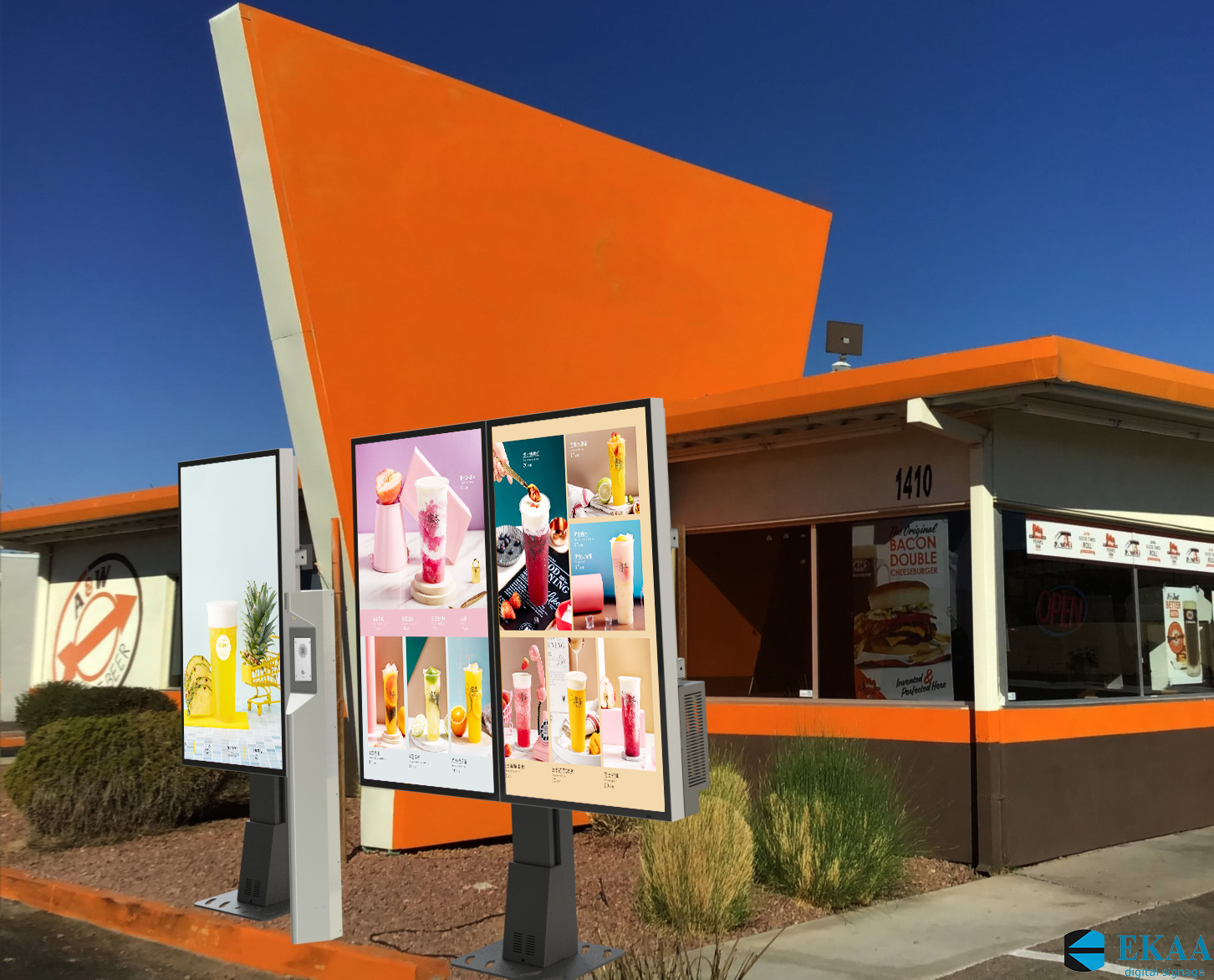
Multi-screen QSR drive-thru menu boards need sunlight readability, weather protection, and easy service access.
Drive-thru service depends on speed, clarity, and uptime. If the menu board is hard to read, customers take longer to order. If the screen fails during peak hours, the restaurant loses sales and staff must work around the problem manually.
That is why QSR drive-thru digital signage should not be selected like a normal indoor display. It is an outdoor, customer-facing, revenue-critical system.
This guide explains what procurement teams should check before choosing a digital menu board for QSR drive-thru projects.
1. Choose the Right Brightness
Drive-thru menu boards are often exposed to daylight, vehicle headlights, reflections, and changing weather. Brightness is essential for readability.
For shaded drive-thru lanes, a moderate outdoor brightness level may work. For direct sunlight, 4,000 nits class high-brightness displays are often recommended. If the screen is not bright enough, menu items, pricing, and promotions can become difficult to read.
Ask suppliers:
- Is brightness measured at the finished product level?
- Is 4,000 nits available for direct-sun installations?
- Does the display include ambient-light auto-dimming?
- Can brightness be reduced at night to avoid glare?
- Does brightness remain stable in high temperature?
Auto-dimming is especially important for QSR. The screen needs strong daylight visibility without becoming uncomfortable for drivers at night.
2. Verify Outdoor Protection
A drive-thru display faces rain, dust, cleaning water, humidity, heat, cold, and sometimes snow. The enclosure must be designed for outdoor use.
Procurement should check:
- IP rating, such as IP65 minimum or IP67 preferred for stronger protection.
- Whether the IP rating applies to the complete finished product.
- Cable entry sealing.
- Front glass protection.
- Gasket and service door design.
- Warranty coverage for water and dust ingress.
Do not accept "waterproof" as a complete answer. Ask for rating evidence and installation requirements.
3. Evaluate Cooling Design
High-brightness outdoor LCD displays generate heat, and sunlight adds even more thermal load. Poor heat control can shorten component life or cause performance problems.
Buyers should ask whether the system is fanless or fan-cooled.
Fanless designs can reduce moving parts, filter maintenance, dust intake, and service visits. This can be valuable for drive-thru lanes where downtime affects sales and customer flow.
If a fan-cooled design is used, ask:
- How often do filters need cleaning?
- What is the expected fan life?
- What happens if a fan fails?
- Are replacement parts available locally?
- Can the display be serviced without removing the whole unit?
Cooling is not just an engineering detail. It is a service cost and uptime issue.
4. Design for Menu Readability
A QSR screen must help customers order quickly. The display should be bright, but the content layout also matters.
Consider:
- Viewing distance from the ordering position.
- Vehicle angle and lane layout.
- Minimum readable text size.
- High-contrast colors for price and item names.
- Clear product photos.
- Daypart menus for breakfast, lunch, and dinner.
- Promotional areas that do not block core menu items.
Procurement should evaluate sample content on the actual display size. A menu that looks good on a laptop may not be readable from a car.
5. Confirm CMS and Remote Updates
Digital menu boards are valuable because content can be updated quickly. Restaurants may need to change pricing, promotions, availability, daypart menus, and local campaigns.
Ask:
- What content management system is supported?
- Can content be updated remotely?
- Can menus be scheduled by time of day?
- Can different stores display different menus?
- Can the system support emergency updates?
- Is user permission control available?
- What happens if network connection is lost?
The best hardware still creates frustration if content updates are slow or difficult.
6. Plan Installation and Service Access
Drive-thru lanes are busy operating environments. Installation and maintenance should be planned to reduce disruption.
Check:
- Mounting method: freestanding, wall-mounted, or integrated menu board structure.
- Foundation or base requirements.
- Power and network routing.
- Cable entry location.
- Access for service teams.
- Protection from vehicle impact.
- Packaging and transport plan.
- Spare parts for critical components.
For multi-store rollouts, standardizing installation details can reduce cost and shorten deployment time.
7. Calculate Total Cost of Ownership
The lowest purchase price is not always the lowest total cost.
QSR buyers should include:
- Display hardware.
- Mounting structure.
- Installation labor.
- Power consumption.
- CMS or software costs.
- Maintenance visits.
- Replacement parts.
- Downtime during service.
- Warranty coverage.
Fanless, high-brightness, IP67-rated systems may cost more upfront, but they can reduce maintenance and downtime in demanding outdoor locations.
QSR Drive-Thru Procurement Checklist
| Requirement | Recommended Buyer Check |
|---|---|
| Brightness | 4,000 nits class for direct sunlight; verify finished-product brightness. |
| Auto-dimming | Required for daylight visibility and nighttime comfort. |
| IP rating | IP65 minimum; IP67 preferred for harsh outdoor conditions. |
| Cooling | Fanless preferred for lower maintenance and dust control. |
| Content readability | Test menu layout at real viewing distance. |
| CMS | Remote update, scheduling, and store-level control. |
| Installation | Confirm structure, cable routing, power, and service access. |
| Warranty | Written coverage for outdoor use, water/dust ingress, and parts support. |
| Spare parts | Confirm long-term availability. |
Procurement Takeaway
QSR drive-thru digital signage should be selected as a complete operating system, not just a screen. The right solution must stay readable in sunlight, survive outdoor conditions, support fast menu updates, and reduce downtime during peak service.
For direct-sun or high-traffic drive-thru lanes, buyers should prioritize high brightness, auto-dimming, verified IP protection, strong thermal design, reliable mounting, and a clear service plan. That is how digital signage becomes a tool for faster ordering and better customer experience, rather than another maintenance problem.
Related EKAA Resources
When specifying drive-thru menu boards, compare thermal design and enclosure protection with EKAA Fanless Outdoor Digital Signage and IP67 Outdoor Digital Signage.
Explore the full Outdoor Digital Signage range, QSR Drive-Thru Menu Boards, Outdoor Wall Mounted Displays, Outdoor Floor Standing Displays, Outdoor Display Brightness Guide, and EKAA Case Studies to compare products and applications.


